Every organization drowns in documents. Invoices, contracts, forms, receipts, reports, emails—millions of pages containing critical business information locked in unstructured formats. Traditional OCR (Optical Character Recognition) could read the text, but it couldn't understand it.
Intelligent Document Processing (IDP) changes this fundamentally. Instead of just converting images to text, IDP understands context, extracts meaning, validates information, and triggers business processes. Organizations implementing it properly reduce document processing time by 70-90% while improving accuracy from 85% to 99%+.
The difference between OCR and Intelligent Document Processing is the difference between reading words and understanding meaning—like the difference between a scanner and a knowledgeable analyst.
Why Traditional OCR Fails for Business Documents
Traditional OCR technology emerged decades ago to convert scanned text into digital format. It works well for clean, typed documents with consistent formatting. It fails spectacularly for the messy reality of business documents:

Traditional OCR extracts text; IDP understands documents
Problem 1: Format Variability
Business documents come in countless formats. Your company might receive invoices from 500 different suppliers—each with unique layouts, fonts, and structures. Traditional OCR with template-based extraction requires creating and maintaining 500 different templates. This doesn't scale.
Problem 2: Poor Quality Documents
Real-world documents aren't pristine. They're scanned at low resolution, photographed with smartphones, faxed (yes, still), or exported from systems that generate poor-quality PDFs. Traditional OCR accuracy plummets when document quality degrades.
Problem 3: No Context Understanding
OCR can read "123.45" but can't tell if that's a price, a quantity, an account number, or a date. It sees text but doesn't understand relationships: this amount goes with this line item, which relates to this purchase order, which was approved by this person.
Problem 4: Cannot Handle Unstructured Content
Contracts, emails, and reports contain critical information embedded in paragraphs of text. OCR converts it to searchable text, but extracting specific clauses, identifying obligations, or understanding intent requires human review. This is where the real bottleneck exists.
How Intelligent Document Processing Works
IDP platforms combine multiple AI technologies to process documents like humans do—understanding context, validating logic, and learning from corrections:
Stage 1: Document Classification
IDP automatically identifies document types: invoice, purchase order, contract, driver's license, bank statement, etc. This happens even when documents arrive in a mixed batch—the system sorts them automatically.
A logistics company receives 10,000+ documents daily via email: delivery confirmations, invoices, customs forms, bills of lading. Their IDP system automatically classifies each document and routes it to the appropriate processing workflow. Accuracy: 98.7%. Time saved: 45 hours daily.
Stage 2: Data Extraction
Instead of relying on rigid templates, modern IDP uses AI to understand document structure and extract relevant data regardless of format:
- Key-value pairs: Invoice number, date, total amount, vendor name
- Table data: Line items with descriptions, quantities, prices
- Contextual extraction: Payment terms, delivery addresses, approval signatures
- Unstructured information: Key clauses from contracts, summaries from reports
An accounts payable team processes invoices from 800+ suppliers. No two invoices have the same format. Their IDP system extracts critical fields with 95% accuracy without templates—learning from each document to improve performance.
Stage 3: Validation and Enrichment
Extraction alone isn't enough. IDP validates extracted data against business rules and external sources:
- Cross-field validation: Do line item totals match the invoice total?
- Database lookups: Is this vendor in our approved supplier list?
- Purchase order matching: Does this invoice match the PO amount and items?
- Duplicate detection: Have we already received this invoice?
- Anomaly identification: Is this amount unusual for this vendor/category?
A healthcare organization processes insurance claims. Their IDP system validates extracted data against policy coverage, identifies duplicate submissions, flags suspicious patterns, and calculates payment amounts automatically. Claims that previously required 20 minutes of manual review now process in 30 seconds.
Stage 4: Integration and Action
The final stage: taking action on extracted, validated data:
- Create records in ERP, CRM, or specialized systems
- Trigger approval workflows for exceptions
- Generate responses or confirmations
- Update multiple systems with consistent data
- File documents in appropriate locations with proper metadata
High-Impact Use Cases
IDP delivers value wherever document processing creates bottlenecks. These use cases consistently show strong ROI:
Accounts Payable Automation
Processing invoices is the most common IDP application for good reason:
- High volume and repetitive
- Clear rules for validation
- Significant cost when done manually
- Errors create payment delays and vendor issues

Automated invoice processing from receipt to payment approval
A mid-sized manufacturer processed 3,500 invoices monthly, requiring 2.5 FTE. After IDP implementation:
- Processing time: 15 minutes → 2 minutes per invoice
- Straight-through processing rate: 75% (no human touch required)
- Exceptions requiring review: 25% (flagged with specific issues identified)
- Accuracy: 99.2% (vs. 94% with manual processing)
- Team redeployed to vendor management and payment optimization
Contract Analysis and Management
Contracts contain critical obligations, dates, and terms buried in legal language. IDP extracts and monitors:
- Renewal dates and termination clauses
- Payment terms and penalty clauses
- Service level agreements and performance metrics
- Liability limitations and indemnification
- Data protection and compliance requirements
A professional services firm managing 800+ client contracts implemented IDP for contract review. System identifies key clauses, flags non-standard terms, and alerts stakeholders 90 days before renewals. Result: zero missed renewals, proactive renegotiation of unfavorable terms, $280,000 in identified savings from contract optimization.
Customer Onboarding and KYC
Know Your Customer (KYC) processes require collecting and verifying identity documents, proof of address, financial statements, and business registrations. IDP automates:
- Identity document extraction and verification
- Address validation and proof collection
- Watchlist screening and compliance checks
- Document authenticity verification
- Completeness checking and missing document identification
A financial services company reduced customer onboarding time from 5 days to 4 hours by automating document collection, extraction, and verification. Customer satisfaction improved 40% due to faster approvals.
Claims Processing
Insurance, warranty, and reimbursement claims involve multiple documents supporting a single claim. IDP handles:
- Claim form extraction and validation
- Supporting document verification (receipts, photos, reports)
- Policy coverage verification
- Damage assessment from photos and descriptions
- Payment calculation and approval routing
An insurance company processing 50,000 claims monthly reduced processing time from 3 days to 6 hours. Straight-through processing: 62%. Customer satisfaction up 35% due to faster payouts.
Mailroom and Document Routing
Organizations receiving thousands of documents via mail, email, and fax use IDP to automatically sort and route:
- Customer inquiries to appropriate departments
- Orders to fulfillment systems
- Payments to accounting
- Legal documents to legal team with priority flagging
- Complaints to customer service with urgency classification
Implementation: What Actually Works
After implementing IDP across various document types and organizations, certain patterns lead to success:
Start with High-Volume, High-Pain Documents
Don't try to automate all document types simultaneously. Pick one that:
- High volume (hundreds or thousands monthly)
- Currently painful (manual effort, errors, delays)
- Relatively structured (invoices, forms, standard reports)
- Clear business rules for validation
Prove value on one document type, then expand to others using lessons learned.
Invest in Training Data Quality
IDP systems learn from examples. The quality of your training data directly impacts accuracy:
- Provide diverse examples (different formats, quality levels, edge cases)
- Include both typical documents and exceptions
- Ensure training data accurately represents production documents
- Invest time in proper annotation and validation
📊 Training Data Rule of Thumb
For template-based extraction: 20-30 examples
For AI-based extraction without templates: 200-500 examples initially
For complex, highly variable documents: 1,000+ examples for production-grade accuracy
Design Human-in-the-Loop Workflows
No IDP system achieves 100% accuracy. Design for graceful handling of uncertainty:
- Confidence thresholds: Low-confidence extractions route to human review
- Exception queues: Organized by issue type for efficient resolution
- Validation rules: Failed validations trigger review workflows
- Feedback loops: Human corrections train the AI to improve
A company processing expense reports set validation rules: receipts over $500 require manager review, unusual categories trigger explanation requests, missing receipts generate automatic reminders. Result: 85% straight-through processing, 15% requiring minimal human intervention.
Integrate Deeply with Business Systems
IDP's value multiplies when integrated with downstream systems:
- ERP systems for order and invoice processing
- CRM systems for customer document management
- Workflow platforms for approval routing
- Data warehouses for reporting and analytics
- Compliance systems for audit trails
Budget integration effort appropriately—it's often 40-50% of total implementation effort but critical for realizing full value.
Measuring IDP Success
Track metrics that reflect business impact, not just technical performance:
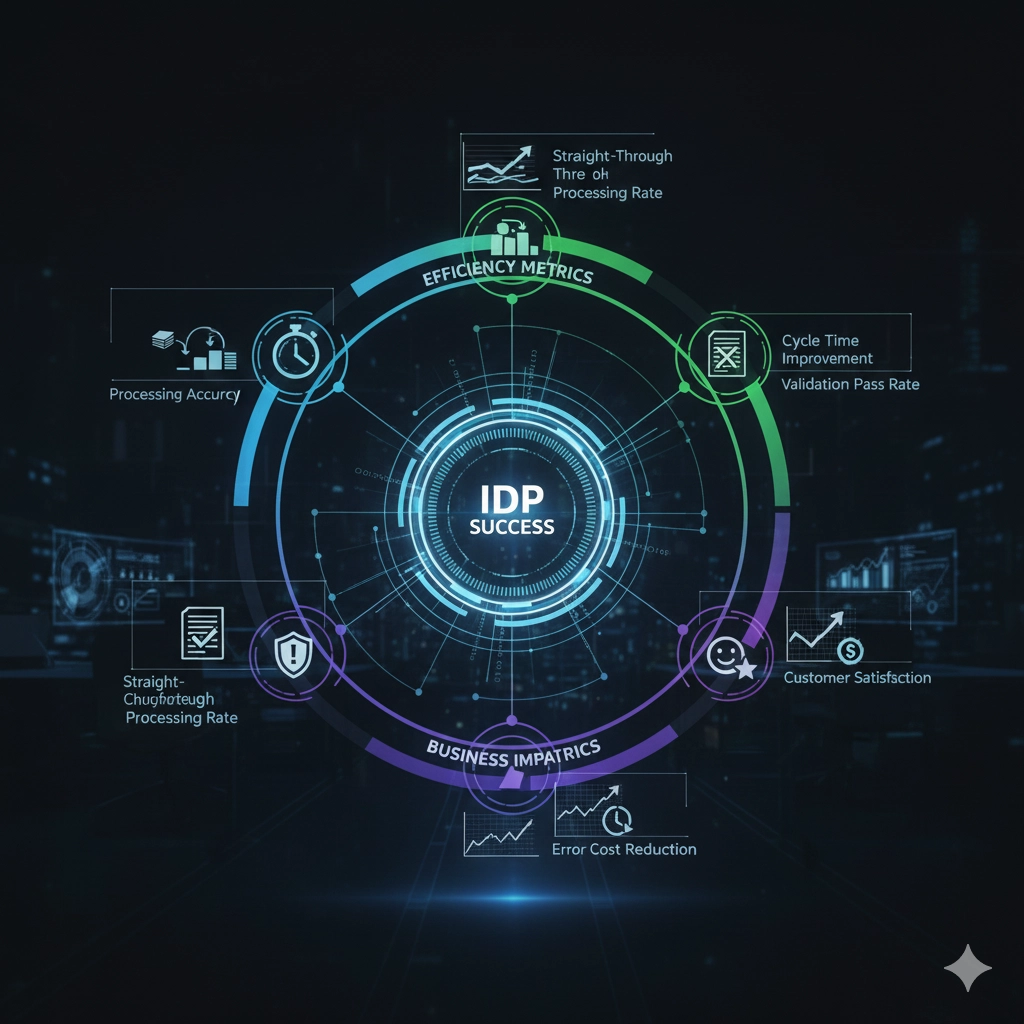
Comprehensive IDP metrics across efficiency, quality, and business outcomes
Efficiency Metrics
- Processing time: Average time from document receipt to data in target system
- Straight-through processing rate: Percentage of documents requiring zero human intervention
- Manual effort reduction: Hours saved compared to manual processing
Quality Metrics
- Extraction accuracy: Percentage of fields extracted correctly
- False positive rate: Documents incorrectly classified or extracted
- Validation pass rate: Percentage passing business rules on first attempt
Business Impact Metrics
- Cost per document: Total processing cost divided by document volume
- Cycle time improvement: Time from document receipt to business outcome (payment, fulfillment, etc.)
- Error cost reduction: Decrease in costs from data entry errors
- Customer satisfaction: Impact on customer experience from faster processing
Common Pitfalls and How to Avoid Them
⚠️ IDP Implementation Risks
- Underestimating training effort: Quality training data takes time. Budget for it.
- Ignoring document quality: Poor-quality source documents limit accuracy regardless of AI sophistication.
- Over-automating too quickly: Start with high-confidence automation, expand gradually as accuracy improves.
- Insufficient validation: Trust but verify—implement robust validation rules to catch errors.
- Neglecting change management: Staff whose work is being automated need preparation and retraining.
- No continuous improvement process: IDP accuracy should improve over time through feedback and retraining.
The Future of Document Processing
Intelligent Document Processing continues to evolve. Large language models now enable even more sophisticated document understanding: summarization of lengthy contracts, answering questions about document content, generating structured data from unstructured narratives.
The goal isn't eliminating humans from document processing—it's eliminating the tedious, repetitive work so humans can focus on exceptions, analysis, and decisions that require judgment.
Organizations that implement IDP effectively don't just process documents faster. They transform document-intensive processes from bottlenecks into competitive advantages—serving customers faster, making better decisions based on timely data, and freeing talented people to work on problems that actually require human intelligence.
The question isn't whether to automate document processing. It's whether you'll do it strategically, starting with high-value use cases and expanding systematically, or continue drowning in paper while competitors gain speed and efficiency advantages.